Activity 12: Ultimate Member User Roles

What was this all about?

This activity was about giving different visitors different levels of access and control on the website. We used the Ultimate Member plugin to go beyond WordPress’s basic roles (like Administrator and Subscriber). The goal was to create a true membership system, control who can see what content, and provide custom profile pages for registered users.

Backend Configuration Proof

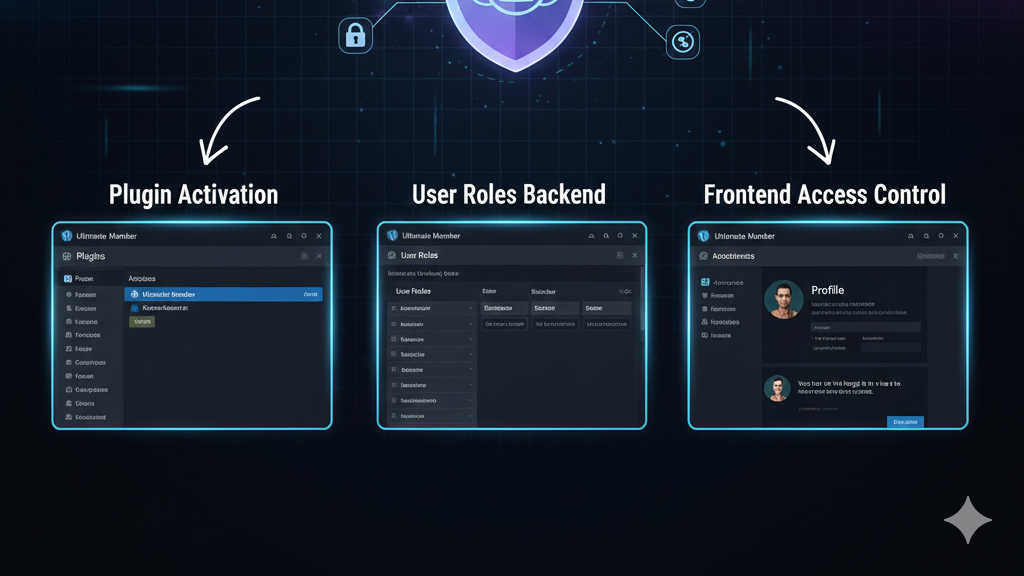
These screenshots confirm the setup of the Ultimate Member plugin and the management of user roles.

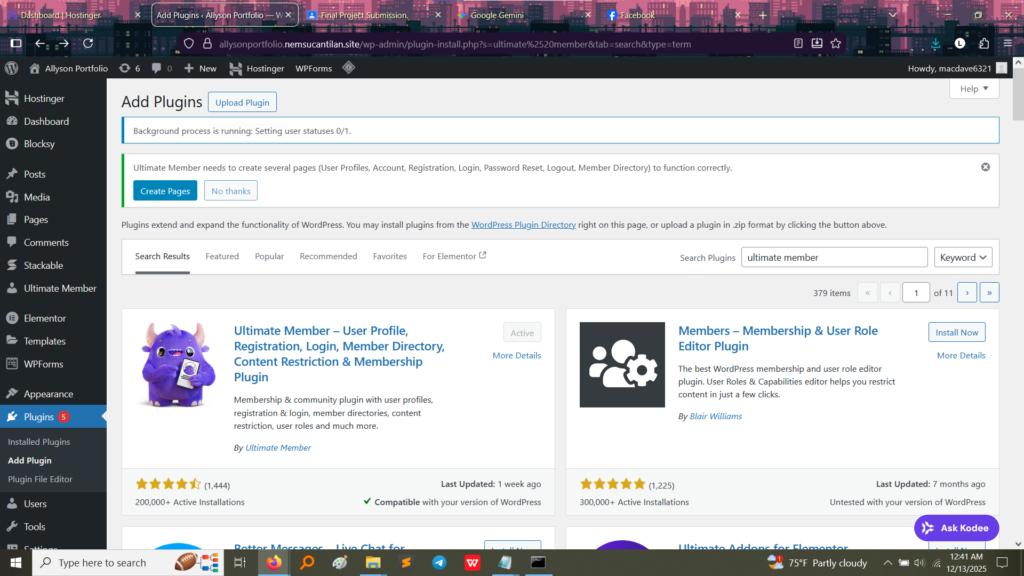
1. Plugin Installation Success

This image confirms that the powerful Ultimate Member plugin, which handles user profiles, registration, and content restriction, was successfully installed and activated.
2. Managing User Roles

This is the main management screen for the user roles.
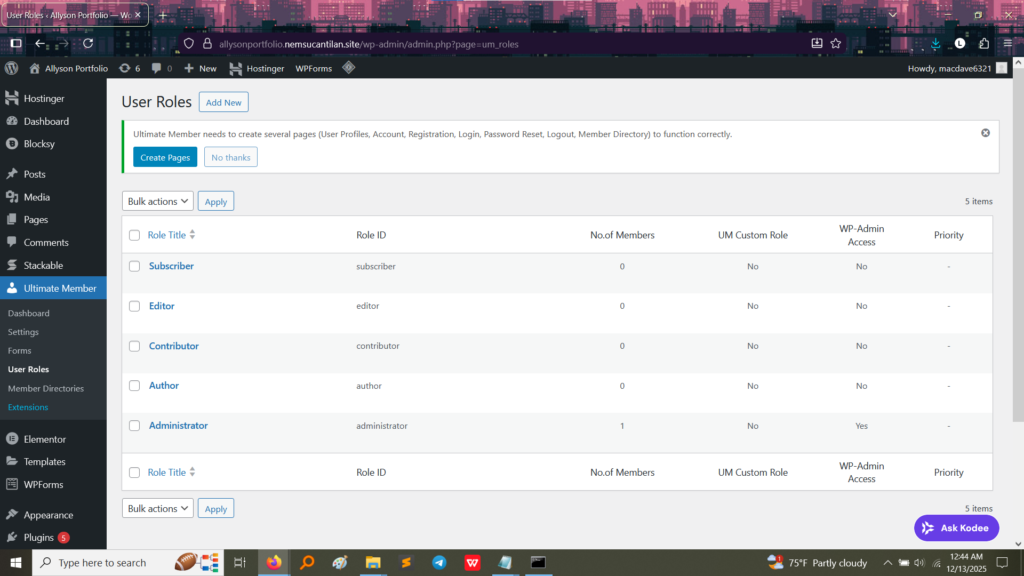
  • Proof of Configuration: This page shows the default WordPress roles (Subscriber, Editor, Contributor, Author, Administrator). The structure provided by Ultimate Member allows the creation of custom roles (UM Custom Role column) with specific permissions.
  • What I Learned: This dashboard gives me the power to, for example, create a “Premium Member” role that can access special content, or a “Student” role that can only submit data to a specific form, demonstrating granular control over user permissions.

Frontend Functionality (The User Experience)

The most important part of this activity is demonstrating the user-facing side of the membership system.

1. The User Profile Page (Admin View)

This image shows a standard WordPress profile page, which Ultimate Member extends or customizes.
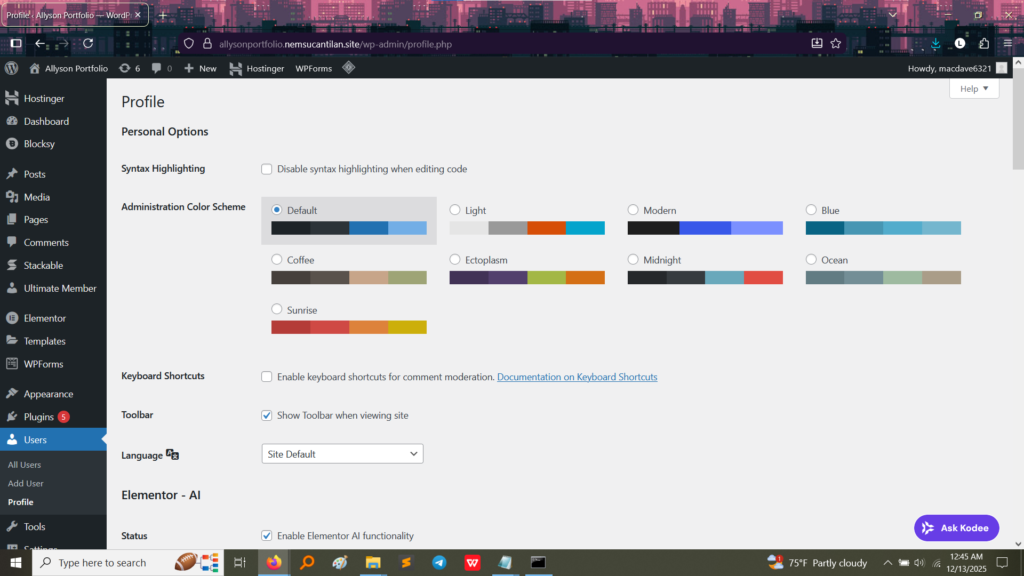
  • Function: A custom profile page built with Ultimate Member (though not fully pictured here) replaces the standard profile view, allowing users to upload a profile picture, fill out custom fields (like “Hobbies” or “Verified Account”), and manage their membership details. This provides a rich, user-friendly experience right on the frontend of the website.

What I Took Away From This Activity

Implementing Ultimate Member teaches critical skills needed for community building and content monetization:

  1. Access Control: I learned how to restrict or grant access to content based on the user’s role, which is the backbone of membership sites and paid subscription models.
  2. User Data Management: The plugin provides powerful tools for registering new users, managing their data through customizable profile fields, and building a directory of members.
  3. Frontend Registration: I gained experience setting up registration forms and profile editing on the public side of the website, removing the need for regular users to enter the backend dashboard.