This activity focused on installing and configuring the most popular e-commerce plugin for WordPress (likely WooCommerce), transforming the website into a full online store. The goal was to prove the ability to manage products, pricing, and the entire checkout and payment system.
Backend Configuration and Product Management
The E-commerce project requires significant administrative setup. These screenshots confirm the successful configuration of the plugin.
1. General E-commerce Settings
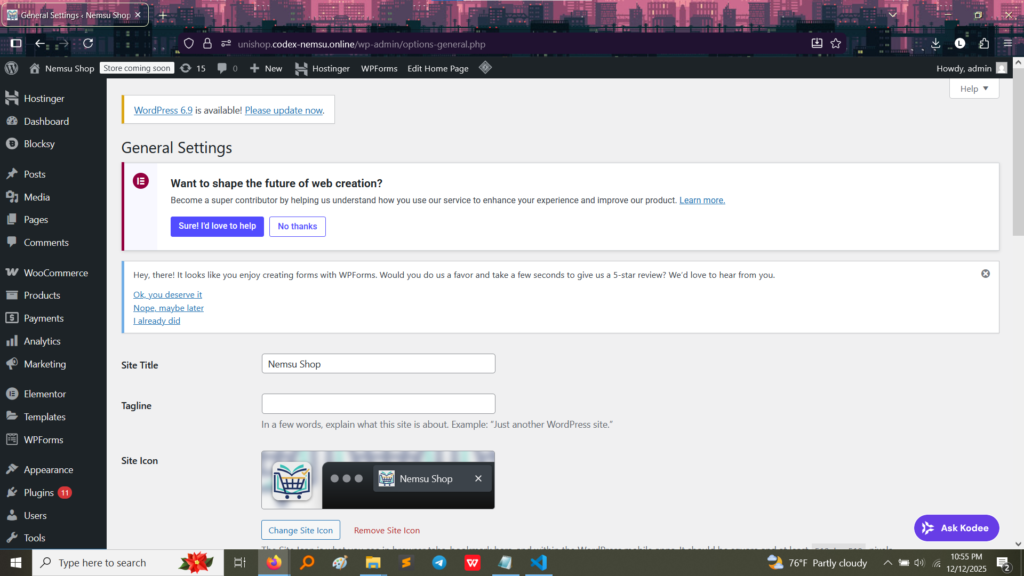
This image shows the basic setup and naming of the online store.
Proof of Configuration: The site title has been customized to “Nemsu Shop,” demonstrating control over the basic identity of the store. This is the starting point for all e-commerce functionality.
2. Product Management and Inventory
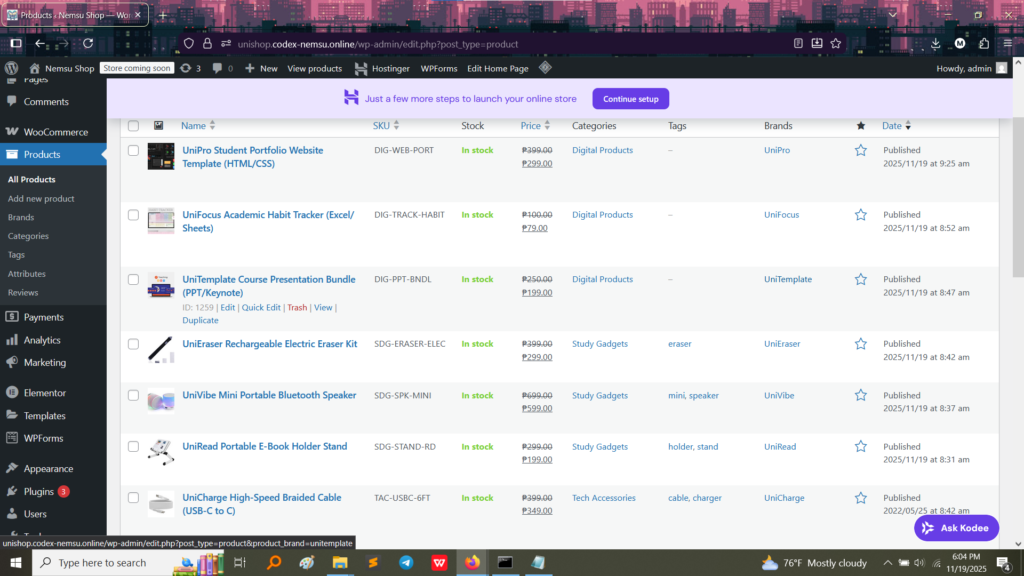
This is the administrative view where products are defined, priced, and managed.
Proof of Product Setup: The list shows several digital and physical products (e.g., “UniPro Student Portfolio Template,” “UniCharge High-Speed Braided Cable”) with:
Stock: Confirmed to be “In stock.”
Pricing: Clearly set (e.g., “₱399.00”).
Categories: Organized into groups like “Digital Products” and “Study Gadgets.”
What I Learned: This confirms I can define product types, set variable pricing, and manage inventory—core skills for any online retailer.
🛍️ Frontend Functionality and Checkout
Since the Shop Page and Product Page typically look similar to a standard product listing, the best proof of a working E-commerce system is a successful checkout and order process.
1. Completed Checkout Process
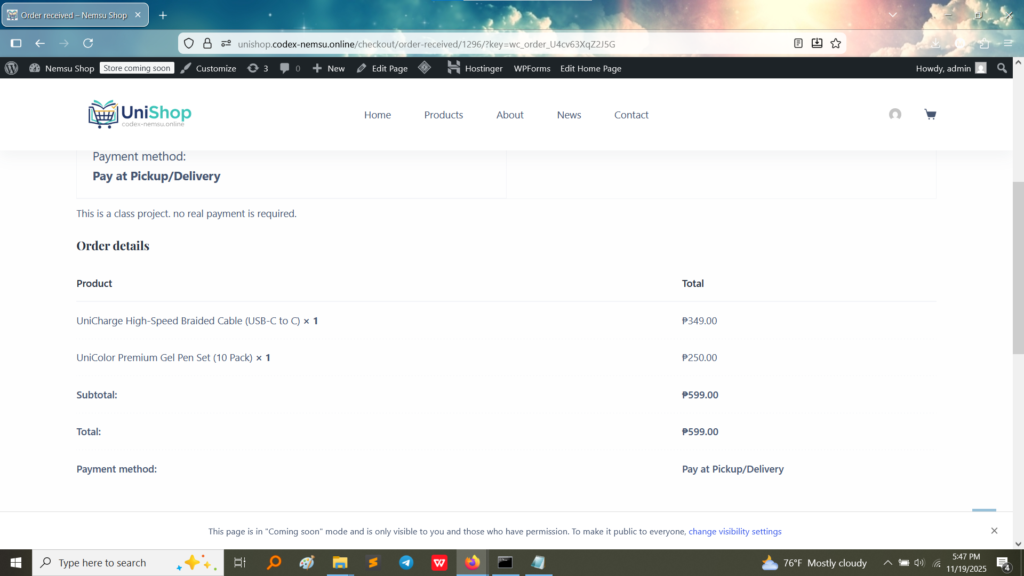
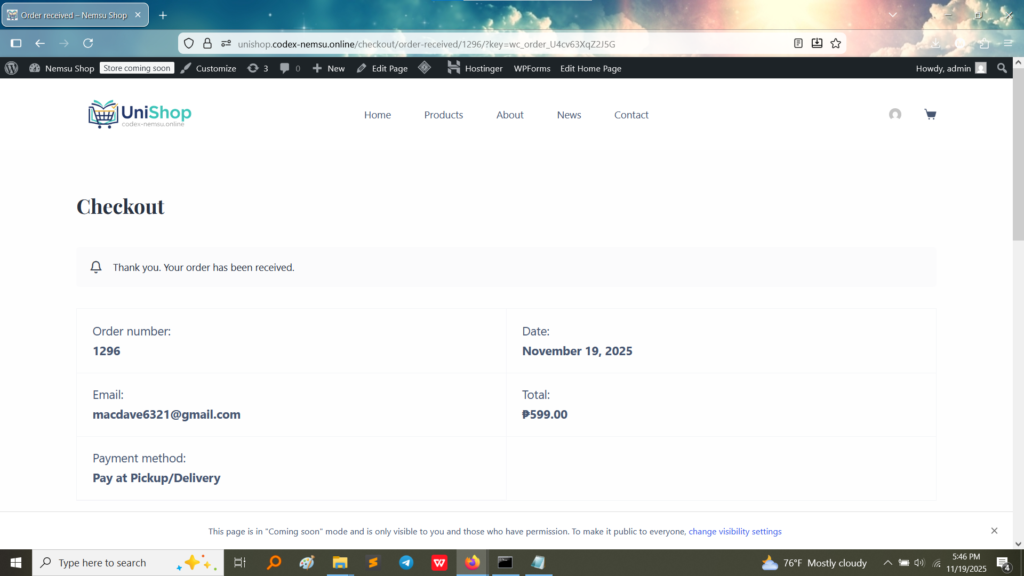
These images show the final stages of a customer purchasing products and receiving an order confirmation.
Proof of Transaction: The “Thank you. Your order has been received” message is displayed, confirming Order Number 1296 was successfully created with a total of ₱599.00.
Payment Method: The transaction used the “Pay at Pickup/Delivery” method, which is a key setting configured in the backend.
Order Details: This page confirms the products purchased (e.g., “UniCharge Cable” and “UniColor Pen Set”) and the accurate subtotal/total calculation.
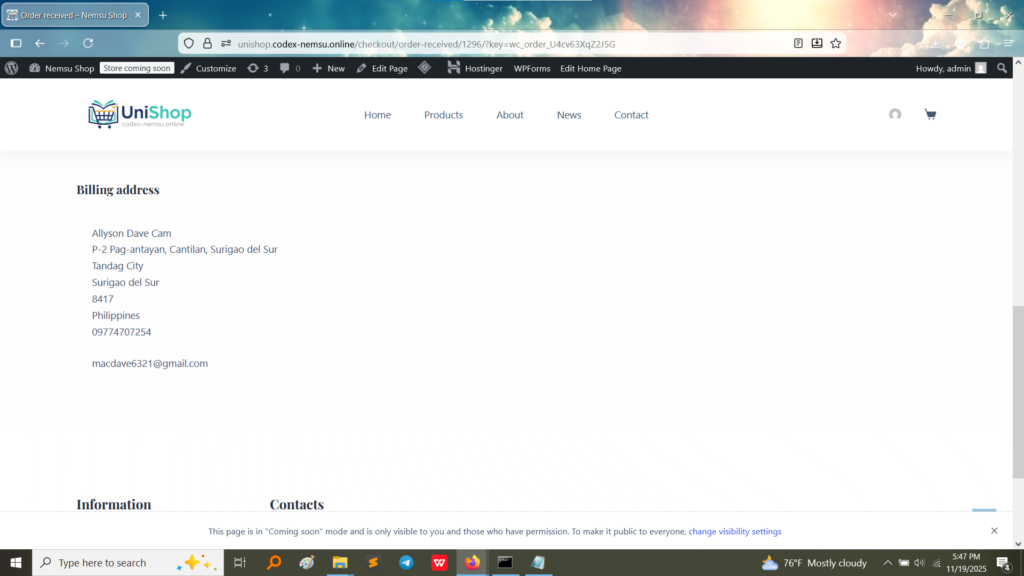
Billing Address: This confirms the system correctly captured and formatted the customer’s Billing address and contact information during checkout, which is critical for shipping and accounting.
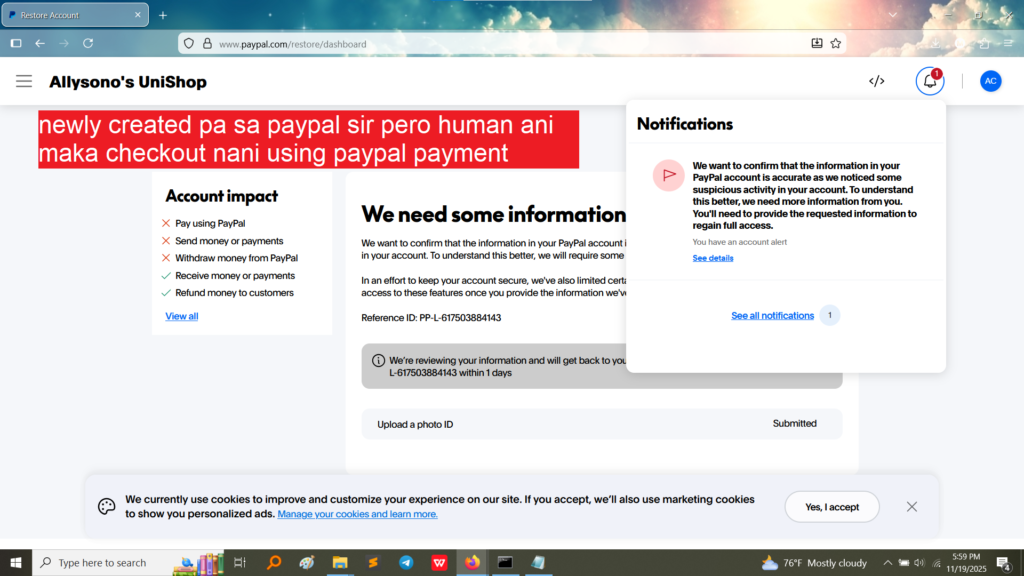
2. Advanced Payment Gateway (Attempted)
Proof of Gateway Setup: This screenshot shows an attempt to integrate a complex third-party payment gateway, PayPal. Although the account may require further verification, the fact that the setup process reached this stage proves the ability to configure external financial services within the e-commerce plugin.
What I Took Away From This Activity
Activity 9 was crucial for understanding how to monetize a website and manage customer transactions:
Database Complexity: E-commerce moves far beyond simple Guestbook entries. It involves complex database tables for orders, customers, product variations, and shipping zones.
Order Fulfillment Logic: I learned the workflow from a customer adding a product to the cart, calculating the total, capturing the billing information, and generating a formal order record (the Order Number).
Payment Gateways: I gained insight into how external payment systems (like COD and PayPal) are integrated into the checkout flow to securely process transactions.